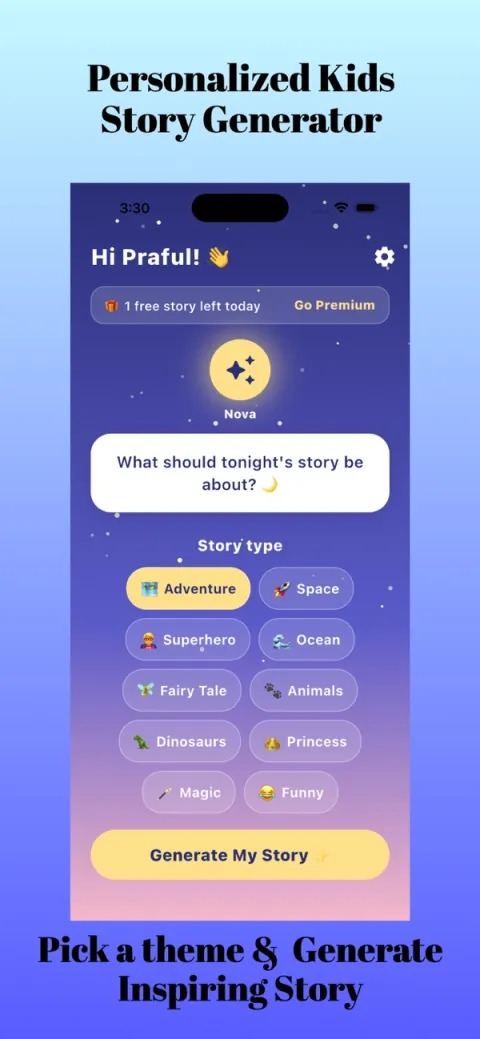
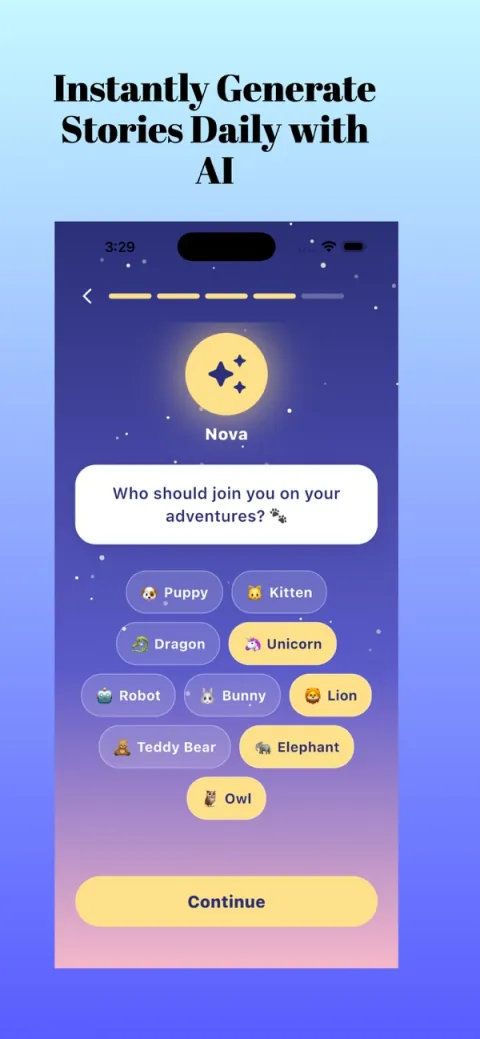
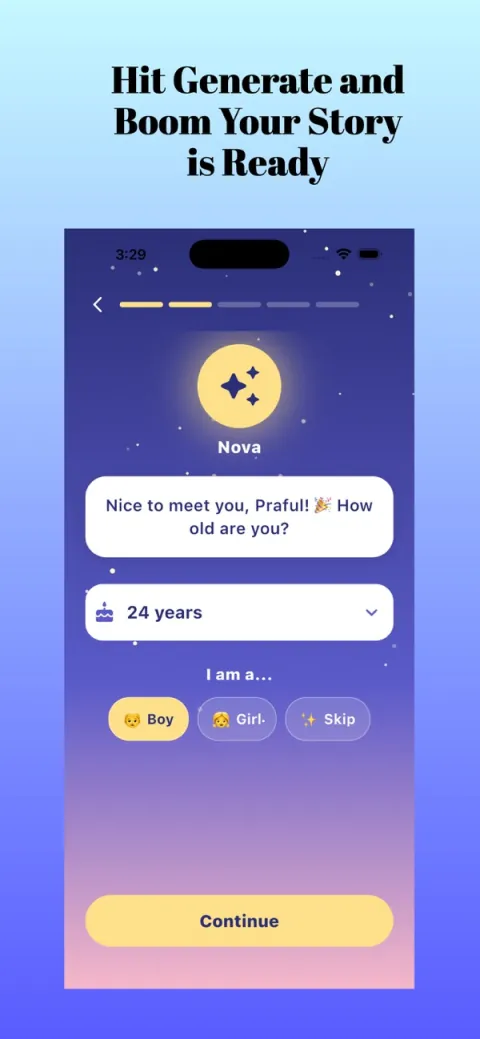
Screens are examples.
Short answer: in Kidzo: Kids Stories Generator, a friendly guide called Nova asks your child's name and age. You pick a companion, a story type, a lesson and a length, then tap Generate My Story. The app writes a story with your child as the hero, and you can save favourites. The screens above show examples of the flow.
What is a kids story generator app?
It is an app that writes a new story from a few choices, instead of giving you a fixed book. Kidzo uses your child's name, age and favourite theme, and builds a lesson into the story. Because every story is new, you can always make another one.
How do you make a story in Kidzo?
- Open the app. Kidzo works on iPhone and iPad (iOS 13 or later).
- Tell Nova your child's name and age. The child becomes the hero, and the story is written for their age group.
- Pick a companion. Choose a puppy, kitten, dragon, unicorn, robot, bunny, lion, teddy bear, elephant or owl.
- Choose a story type. Options include fairy tales, dinosaurs, space, animals, princesses, pirates, fantasy, adventure, superhero, ocean, magic and funny.
- Choose a lesson and a length. Lessons are kindness, courage, honesty, friendship, sharing and gratitude.
- Tap Generate My Story. Wait a moment for the story to appear.
- Read it together and save it. Keep the favourites and make new stories whenever you like.
How should you pick the options?
Let your child choose the companion and story type, since that gives them ownership. You, the parent, can choose the lesson and length to suit the evening. Short lengths work well on school nights, longer ones at weekends. If you are unsure, start with a favourite animal and a gentle lesson such as kindness.
What should parents know?
- Kidzo says its stories use age-appropriate guardrails. Even so, read each story with your child first and supervise use of the app.
- Results vary. If a story does not fit, generate another with different choices.
- The app is free to try and contains ads. Premium plans are optional; see the pricing page.
- The App Store age rating is 4+. Check the privacy label and settings on your own device.
Can you use it for bedtime?
Yes. Many parents use story apps as part of the evening routine, keeping the screen dim and the voice slow. Our guide to bedtime stories for kids covers what makes a good one, and personalised bedtime stories explains why the hero's name matters.
Common mistakes
- Choosing the longest length for a very tired child.
- Picking a theme that excites rather than calms at lights-out.
- Skipping the read-through before the first night.
Is there a quick example?
Imagine a five-year-old called Maya who loves the ocean. You tell Nova her name and age, she picks the bunny as a companion, you choose the ocean story type, the lesson of kindness and a short length. After you tap Generate My Story, Kidzo writes a new tale with Maya as the hero, and you can save it if she asks for it again tomorrow. This is only an example of the flow; every story is different.
When you want a different mood next time, change one choice at a time, such as the companion or the lesson, and see how the story shifts. That makes it easy to learn what your child enjoys most.
What if my child wants to press the buttons?
Let them, with you beside them. Choosing the companion and theme is a lovely part of the fun, and sitting together keeps screen time shared and calm. Hand the phone back to you once the story appears, then read it aloud at a slow pace and enjoy the ending together before lights out.
Frequently asked questions
How does the Kidzo story generator work?
Nova asks your child's name and age, you pick a companion, story type, lesson and length, then tap Generate My Story.
Who is Nova?
Nova is the friendly guide in the app who walks you through the questions at the start.
Can I save stories?
Yes. You can save favourite stories and make new ones any time.
Which devices does Kidzo run on?
The App Store listing shows iPhone and iPad, iOS 13 or later.
Do I need an account or to pay first?
Kidzo is free to try. Optional Premium plans are shown in the App Store.
Related pages
About the author
Praful Deshmukh is the founder of AppVeda Software, which builds and publishes Kidzo and other iPhone apps. His apps on the App Store
 FakeSpotSpot AI-generated & fake photos
 ImagineTurn text into stunning AI art
 AI Skin ScannerScan your skin from a selfie
 India AQILive air quality for Indian cities
 AI Video DetectorIs that clip real or AI?